
In Acquaint you will be able to switch utilities for Purchasers from the Property Progression screen.
To do this go to a For Sale Property that you wish to perform a Property Button utility switch on, then go to the Progression tab and press the Utility Switch button beneath the Property Chain.
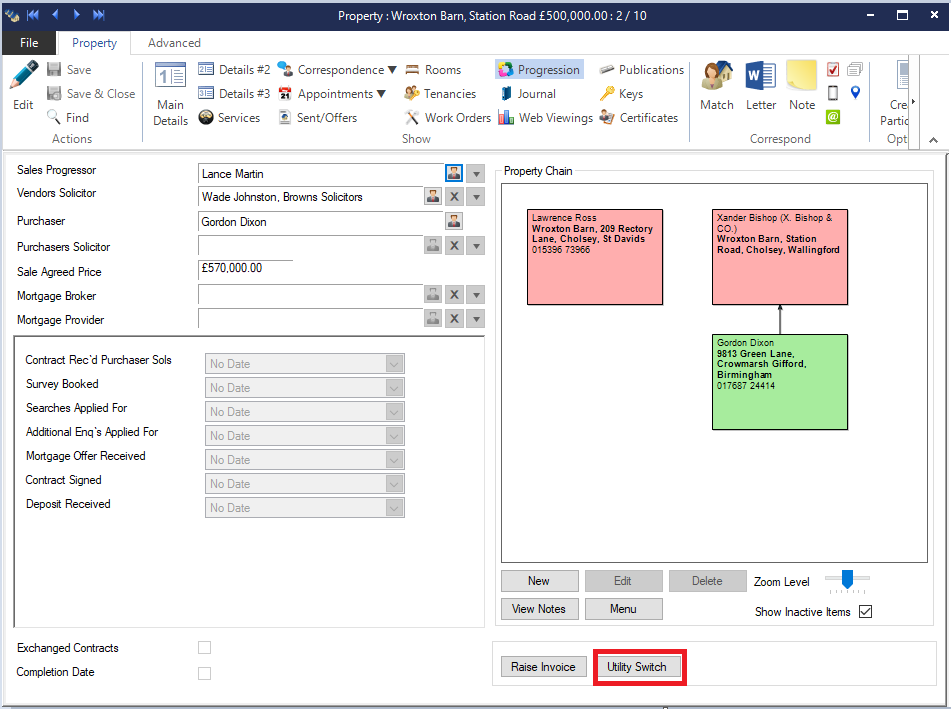
When you press the button Acquaint will log you into the Utility Switching app on the Send Purchaser Switch form.
Your Property and Purchaser details from Acquaint will automatically be loading into the form for you to send onto Property Button.