
What is the Rent Review Screen?
With the new Renters' Rights Act that comes in on the 01/05/2026 we wanted to provide you with an easy way of performing a Rent Review.
How can I see all my Rent Reviews?
You can access all your Rent Reviews from the Tenancy Rent Review List
This can be found from the More button on the main ribbon bar of Acquaint → Tenancy Rent Reviews.
You will be able to see a screen that displays as below, this will include the Tenant’s Name, Address, Applied Date (of the Rent Review) whether it has been Applied yet, the Status of the Review, the Reviewed Amount of the increase to and if there is a Rent Benefit increase.
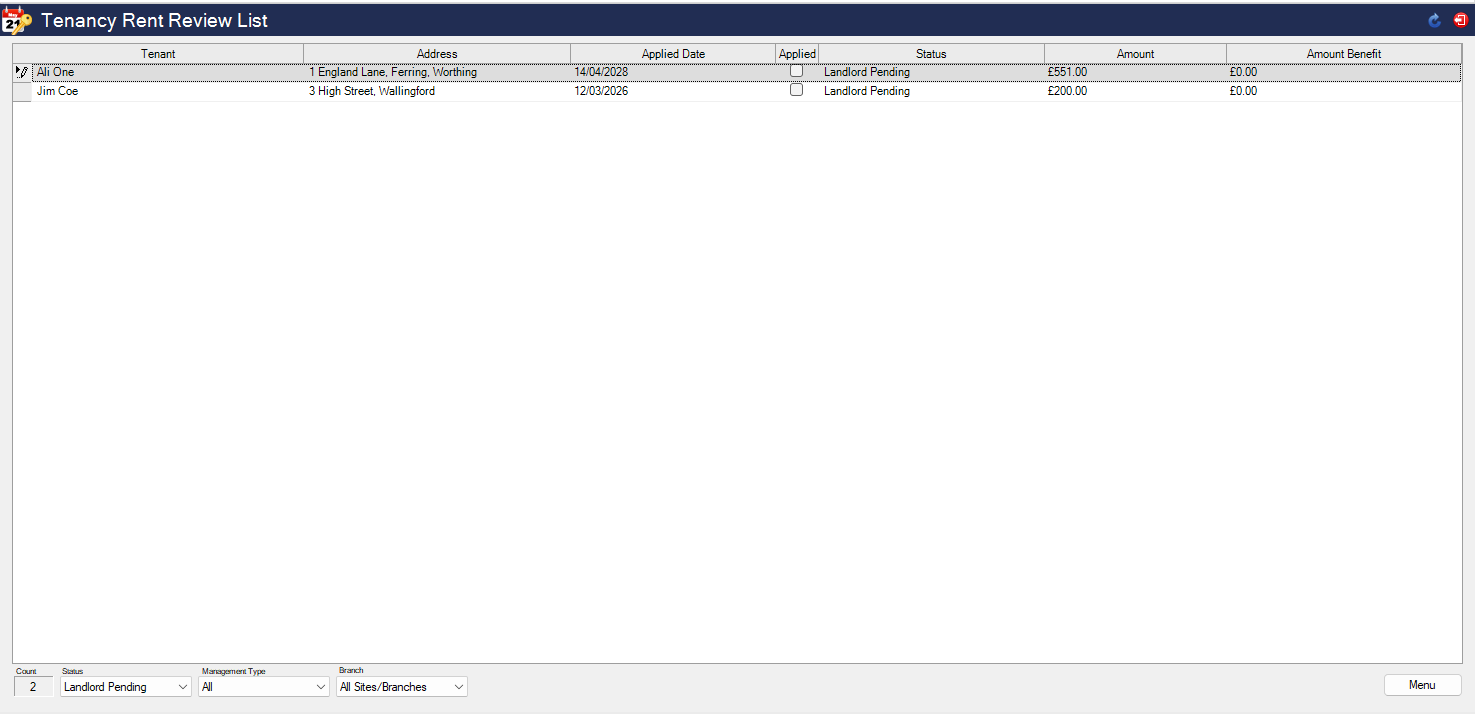
What filters can be applied to this page? (these are found in the bottom left of the page)
-
Status:
-
Landlord Pending
-
Tenant Pending
-
Accepted
-
Disputed
-
Rejected
-
All
-
-
Management Type
-
Let Only
-
Rent Collect
-
Fully Managed
-
-
Branches
How do I add a new Rent Review?
In one word? - Simple.
Adding a new Rent Review is performed from one of multiple locations:
-
The More button on the main ribbon bar of Acquaint → Tenancy Rent Reviews → Menu → New
-
From right clicking your Tenancy and going to Rent Reviews → Menu → New
-
This option will automatically pre-fill the (primary) Tenant and Property as well as the current rent amount of the Tenancy.
-
-
From the Tenancy List → Highlight the Tenancy by left clicking on it → Menu → Rent Reviews → Menu → New
-
This option will also automatically pre-fill the current (primary) Tenant and Property as well as the current rent amount of the Tenancy.
-
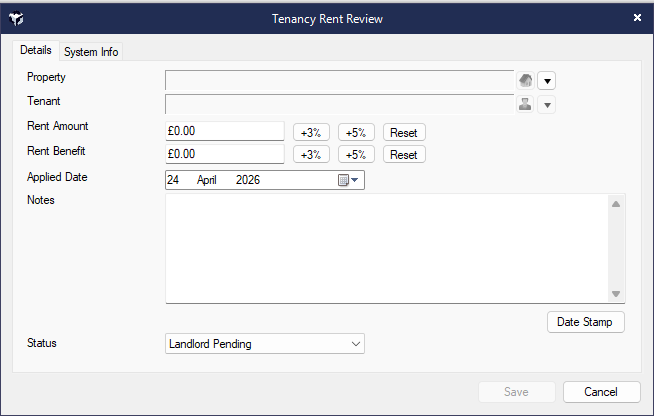
We have provided a 3% and 5% increase buttons for you, as this falls in line with the Open Market Rent you can press these for increments of 3% or 5%, if you do wish to do a different amount e.g. 1%, 2%, 4% these will need to be worked out and the new rental amount to be put into the Rent Amount field.
The Status can be changed accordingly from this screen, for example - if both parties (Landlord and Tenant) have agreed then you can change the status to Accepted and save.
Each status will ask you if you would like to send details of the Tenancy Rent Review as well.
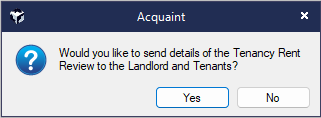
If selecting Yes you will see a similar screen to the one below with a couple of differences:
The Contacts will be the Tenants and Landlords of that particular Tenancy, and depending on the status you will see a difference in the Templates used.
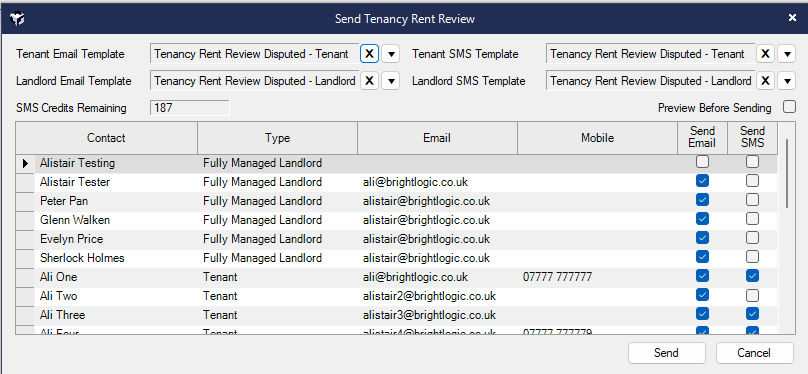
You can select the preview button in the top right of this screen if you wish to see what the email/text will look like before sending.
Once the date of the Rent Review has taken place the Rent Review can no longer be changed.
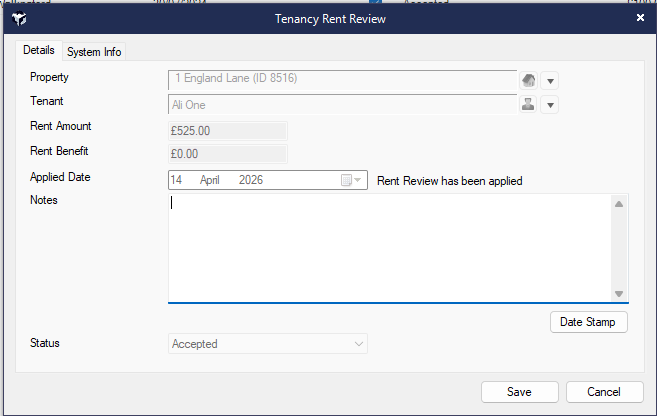
What happens when we get to the Applied date?
The Rent will automatically be changed to reflect the new Rental Amount, so if the Tenancy was £500/pm and you do a 5% increase, the new Rent Due Amount will be -> £525/pm.
If there are any questions you have that are not answered in this topic please reach out to support@brightlogic.co.uk or call Support on 01491 824800 Option 1.